





How a QR code for wedding photos works
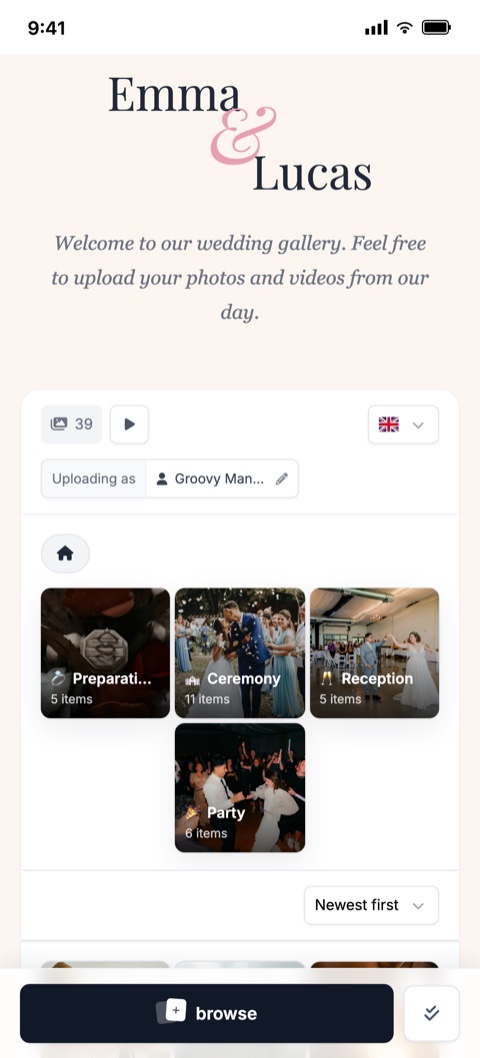
The QR code contains a link to your wedding's online album. A guest scans it with their regular phone camera, the album page opens, and they can pick photos and videos from their gallery or take new ones.
Everything happens in the browser - no app to install, no sign-up and no email to enter. You see all uploaded memories in one place, in original quality.
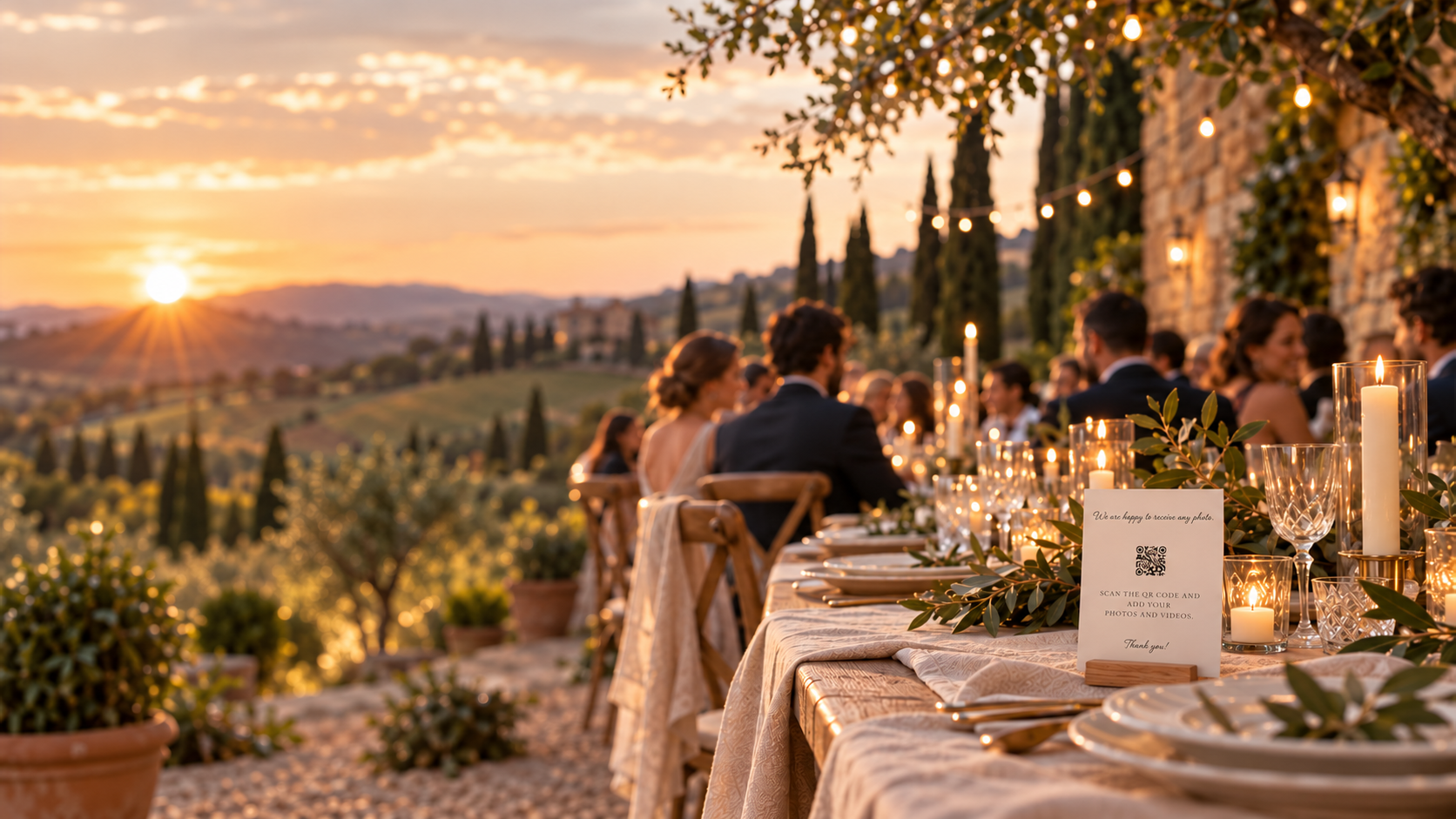
Where to place the QR code
- On the tables - small cards or stands on every table work best.
- At the entrance or welcome sign - guests notice it as soon as they arrive.
- In the photo booth and at the bar - where most photos are taken.
- On the invitation or programme - guests can also share photos from the preparations or the hen and stag parties.
- On the menu or seating plan - it ends up in every guest's hands.
What the QR code should look like
The QR code should be large enough (at least 3 x 3 cm), have good contrast and a clear margin around it. Add a short line explaining what happens after scanning, for example "Send us your photos".
In Bloomsy you choose from ready-made card and poster templates, adjust the colours and text, and download a print-ready QR code.
What to watch out for
- Test the code on several phones before printing.
- Avoid link shorteners that may stop working over time.
- If you don't want anyone with the link to upload, set an upload password.
- Think about weak signal at the venue - guests can upload later once they are back online.
Frequently asked questions
Do guests need an app to scan the QR code?
No. Most phones read QR codes directly with the camera and the album opens in the browser.
Can I print the QR code myself?
Yes. You download the QR code in high resolution, with a ready-made card or poster template, and print it at home or at a print shop.
Can people who are not invited upload through the QR code?
If you want to restrict access, set an upload password for the album. Without it nobody can upload.
Does the QR code still work after the wedding?
Yes, the album stays available for the period included in your plan, so guests can keep sending photos later.