





Why guests' photos get lost
Guests capture the most natural moments: getting ready, dancing, toasts, kids, grandparents. A professional photographer cannot be everywhere. The problem is that these photos stay scattered across dozens of phones.
After the wedding you usually gather them through group chats, emails or shared folders. Some guests forget, some send photos in reduced quality and some never send them because they don't know where.

What a good solution needs
- No app and no sign-up - every extra step lowers the number of guests who actually share.
- Full quality - photos and videos should not be compressed when they are sent.
- One place - all memories together, ideally sorted into albums.
- Works during the party - guests upload right away, while they are in the mood and have signal, not a week later.
- Easy download - at the end you download everything at once, not photo by photo.
Step by step
1. Create an online album for your event. In Bloomsy it takes a few minutes - name, date, page design and optionally an upload password.
2. Print the QR code. Pick a card or poster template and put the QR code on the tables, at the entrance, on the menu or on your invitations.
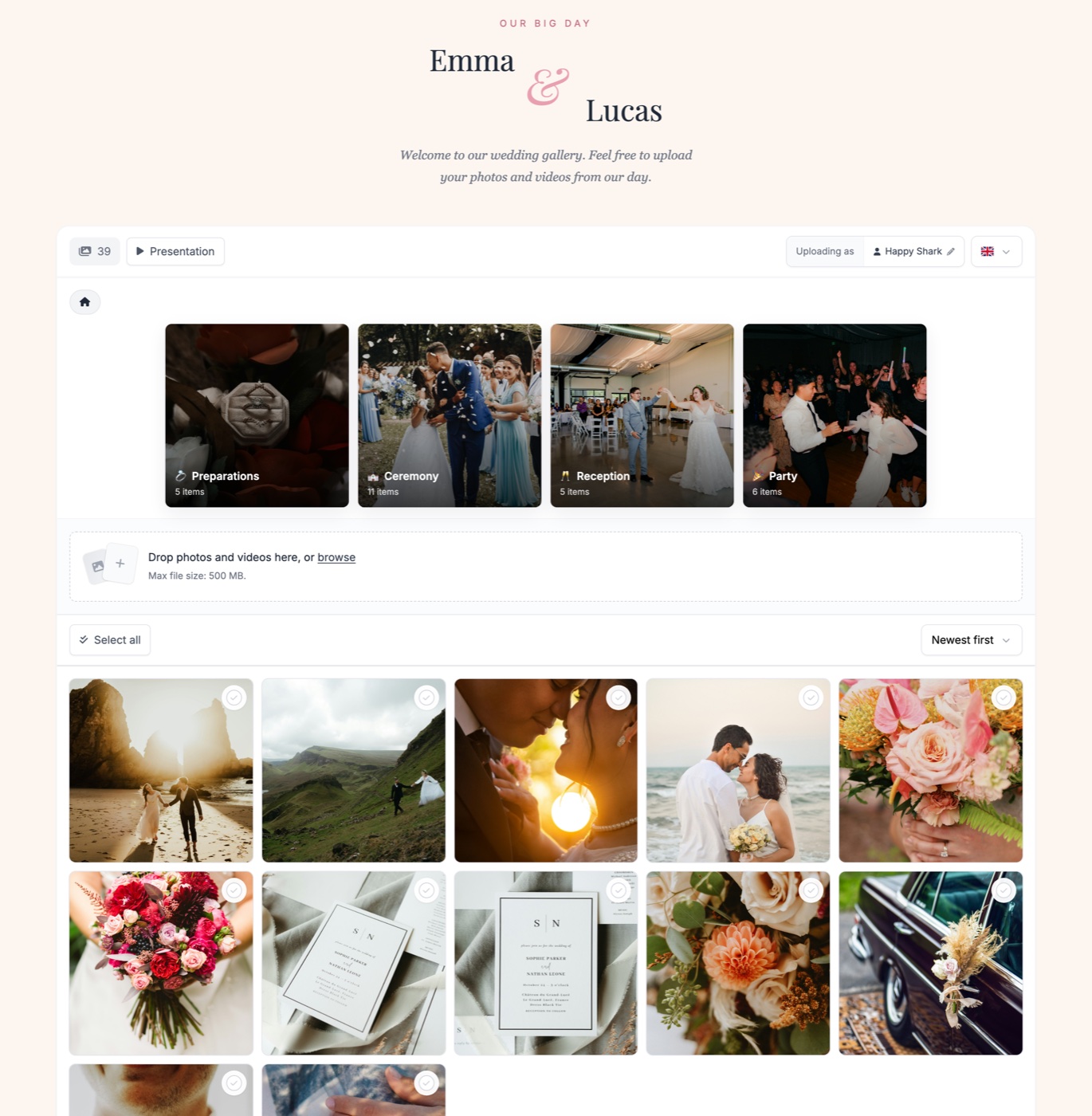
3. Guests scan the code and upload. The album page opens right in their browser, with no installation and no account. Photos and videos are uploaded in their original quality.
4. Memories come in live. You can sort them into albums, play them as a slideshow, and guests can add a short message or a voice message too.
5. Download everything after the party. You get the whole album in a single ZIP file in full quality.
Tips to get more guests sharing
- Place the QR code where guests will see it several times - on tables, at the bar, in the photo booth.
- Remind everyone during the evening, for example through the host or the DJ.
- Add a short call to action, such as "Scan and send us your photos from the wedding".
- Keep the album open for a few days after the wedding - many guests share photos once they are home.
Frequently asked questions
Do guests need to install an app?
No. After scanning the QR code the album opens directly in the phone's browser. Guests need no app and no sign-up.
Do photos lose quality when uploaded?
No. Photos and videos are stored in the original quality they were taken in.
Can guests upload videos too?
Yes, videos as well as photos. Supported file types and storage size depend on the plan you choose.
How do I download the photos after the wedding?
You download the whole album in one click as a ZIP file with all photos and videos in full quality.